


 +91 97699 40000
Delete Velocity Account
If you wish to delete your Velocity account and all associated data, you can easily do so directly from within the mobile app.
Follow the steps below to permanently delete your account:
- Open the Velocity App on your mobile device.
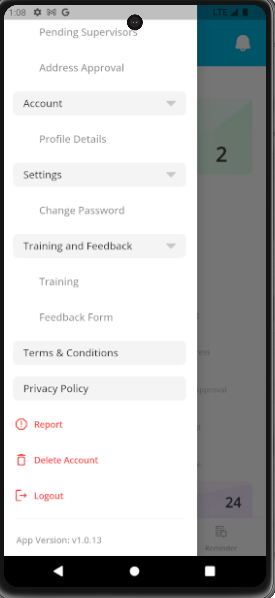
- Tap on the drawer menu (☰) located on the top-left corner of the screen.
- Select Delete Account from the menu options.
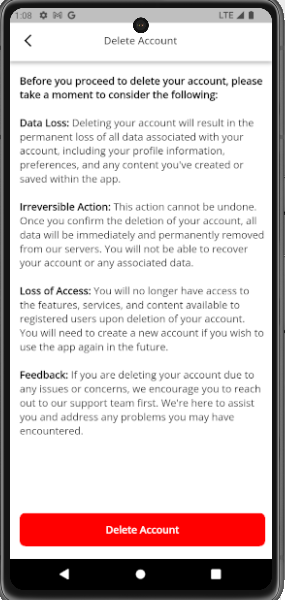
- Confirm your choice to permanently remove your account and all related data from our system.
Once confirmed, all your personal information, preferences, and data linked to your account will be permanently deleted and cannot be recovered.


Our consultants will give a closer Look!
WHATSAPP VIDEO CALL AT YOUR CONVENIENCE
Schedule a Video call or Request Real Images and Videos